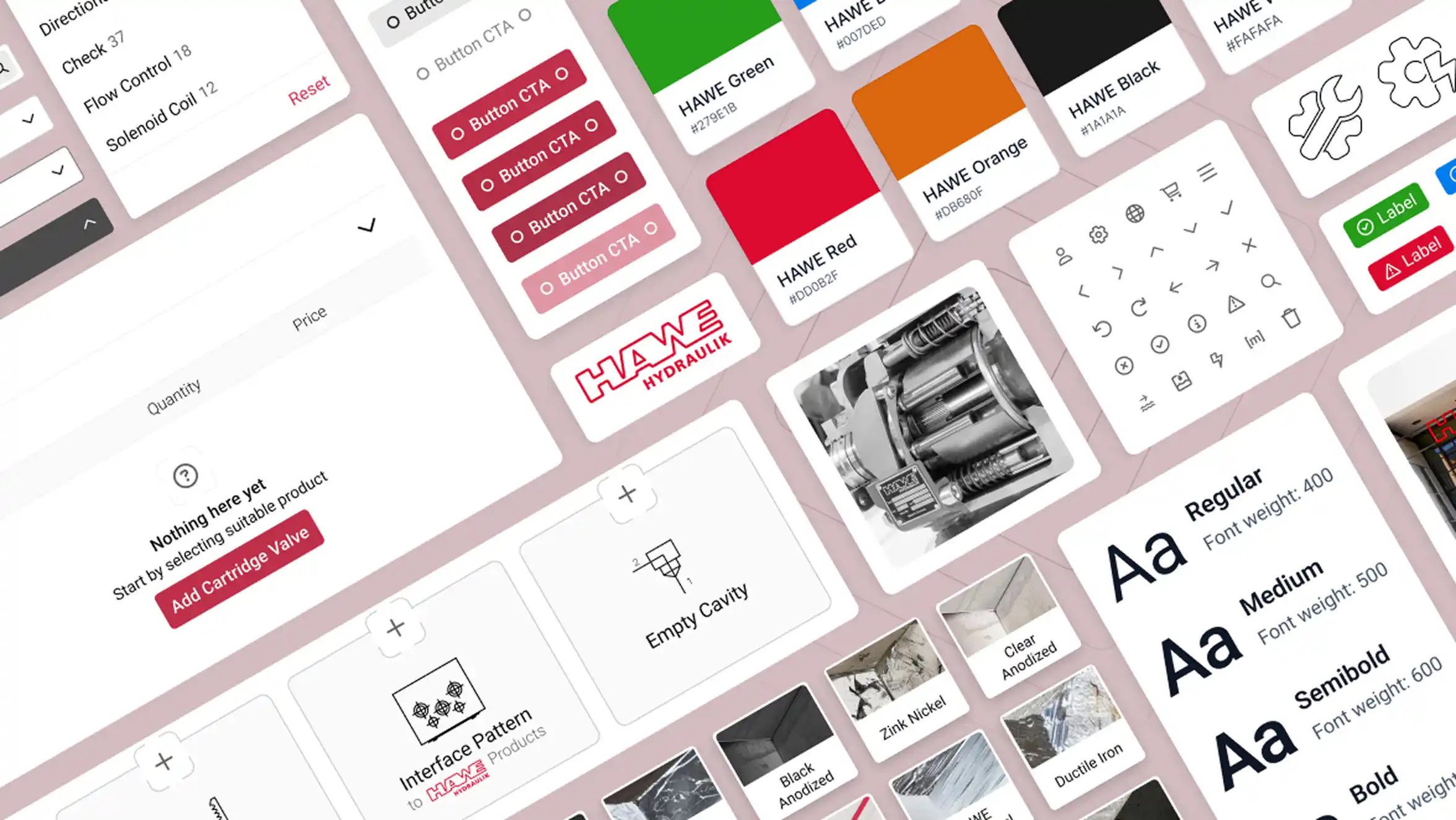
Goals
Achieve consistency and clarity across teams
With a commitment to quality and efficiency, HAWE aimed for a comprehensive redesign to unify its digital experience. The goal was to align individual teams — and the tools they were building — under one visual language.
Establish visual
and functional consistencyCreate shared UI components to unify the look, feel, and behavior across tools. The design manual was already there — we just needed to lower the barrier to using it the right way.
Improve collaboration
and development timeBridge the gap between idea and development through a shared language. Until then, developers were largely responsible for designing the tools themselves — a missing link that led to inconsistencies across the platform.
Challenges
Scaling a platform without systems in place
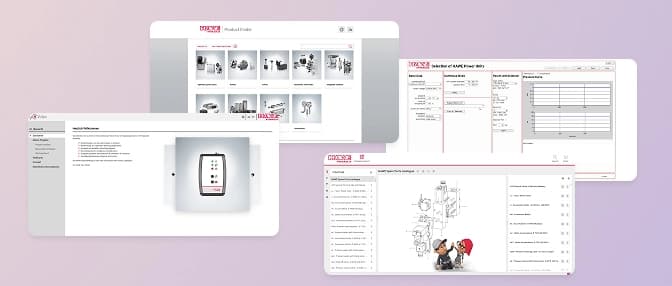
The Customer Portal was a single entry point that gave both internal teams and external customers access to a range of tools. Open two tools side by side and they looked like they came from different companies.
Different button styles, different navigation patterns, different typographic choices — all within a portal that was supposed to carry a single corporate identity. There was no shared logic binding them together, and no process for ensuring new development would be any different.
What I was up against:
Platform that
felt fracturedEach of the tools had been built by a different team. That being either external agency or individual internal teams.
Outsourced
ownershipWe didn't own the code of our applications. It became a serious obstacle when we wanted to integrate new tools.
Documentation? Sort
of...We had a design manual, but it wasn’t widely used. Teams that were using it all had their own interpretation of what 'following the design manual' meant.
Slow development
cyclesMost of our front-end work was outsourced, which made iterating on designs slow. Without visual cues, communicating with external teams was inaccurate.
Design team
of oneWith limited resources, I juggled design, strategy, and stakeholder alignment. It pushed me to build a system all could benefit from.
The Approach
One system to bring them together
The design manual and defined corporate identity gave me a starting point. I wanted to make the defined visual language, typography and color scheme visible to everyone in the organisation and as easy to use as possible.
Make fragmentation visible
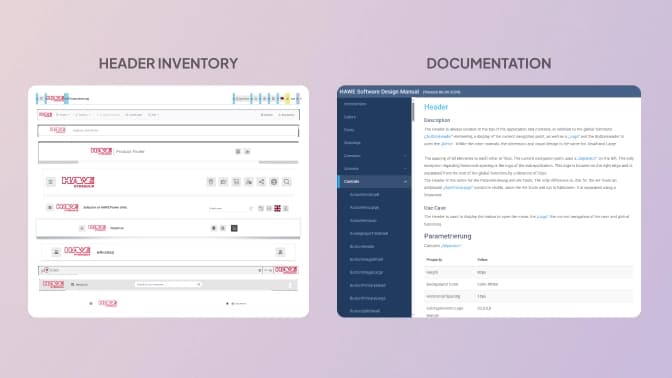
I kicked things off with an audit of every application accessible through the portal. I catalogued components, patterns, and interactions across all of them.
The audit served two purposes. It gave me a clear picture of the scope of work. And it gave stakeholders a visual. Showing the same header rendered six different ways is more persuasive than describing it.
Prototyping to build buy-in
I proposed Material UI as the base component library. The reasoning was practical: MUI gave us a well-documented, accessible, production-ready foundation that the development team could work with directly.
Using Material UI as a base, I quickly mocked up clean, consistent interfaces. Stakeholders saw the value, and we shifted from debating theory of "nice-to-haves" to exploring solutions.
Starting small, scaling smart
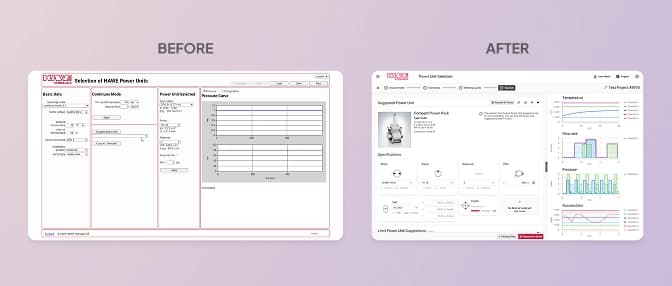
We piloted the system on one product. I followed Atomic Design principles to build tokens, components, and patterns that translated directly into code. Early dev feedback helped me refine things fast.
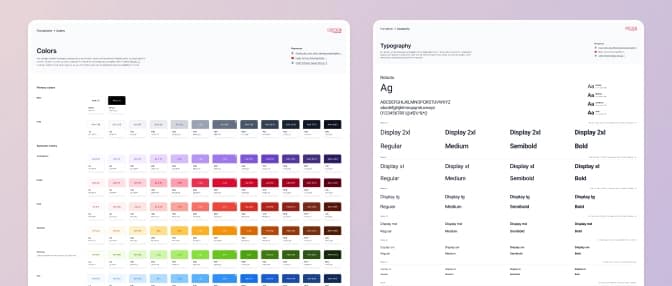
From one designer to a shared language
Holding the line meant showing up in small moments. Why this component. Why this token, not a custom one. I invited teams in early and made the system theirs. The argument was never aesthetic. It was about the cost of inconsistency.
Design
Anatomy of a button
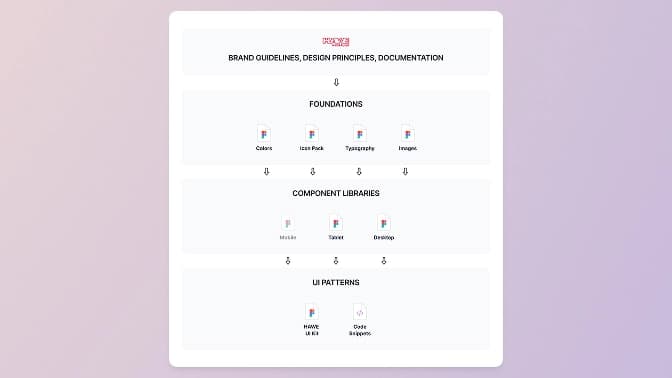
Designing components wasn’t just about looks. Dev teams needed clarity, and we needed consistency. To achieve that, I documented specs covering design, behavior, and best practices.
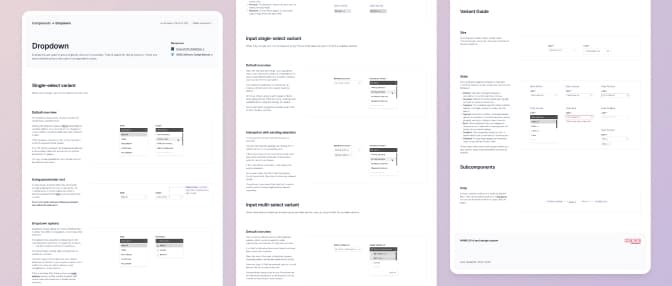
Each component spec included:
Design
tokensColors, spacing, type, and other visual elements - all consistent, all reusable.
Interaction
rulesHover states, focus behavior, animation timing - no guesswork.
Guidelines and
edge casesUsage do’s and don’ts, accessibility guide, and examples.
Dev-ready
snippetsHTML/CSS snippets to make implementation smoother.
Operations
Keeping it alive (and useful)
A design system is only as good as the process around it. Getting the components right was the easier part. Making sure the system stayed coherent as more people used it required structures that didn't exist yet.
Version control to the rescue
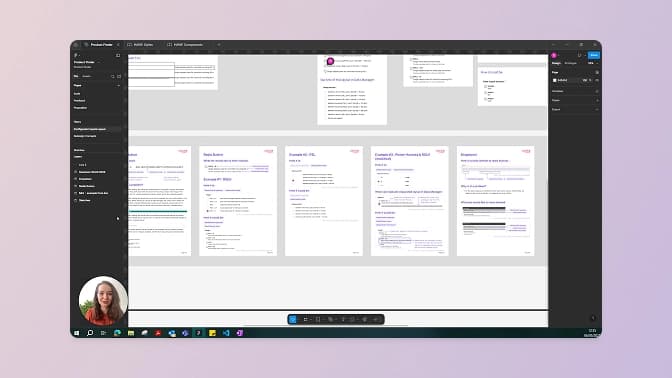
Accidentally pulling an update was causing chaos in working files. To solve this, I introduced a versioning practice inspired by front-end workflows. All changes had to be reviewed against other open contexts they were used in. Designers could now test changes safely before "pushing to production".
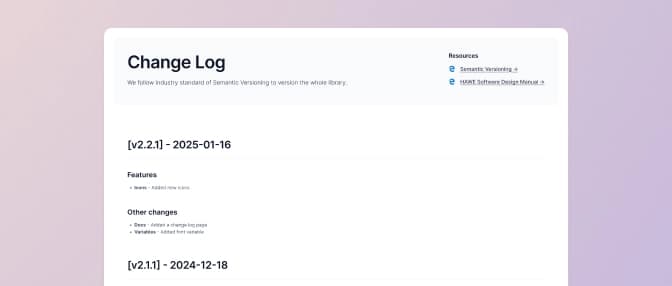
Component documentation
The goal was to make implementation unambiguous — to reduce the back-and-forth between design and development that had previously been absorbing significant time on both sides.
The external development team we worked with confirmed that the documentation quality was making a measurable difference. Less time spent clarifying intent, faster iteration cycles, fewer revisions after implementation.
External review before broader rollout
Before extending the system more widely, a senior stakeholder commissioned an external UX agency to review the work. Their assessment sharpened the accessibility approach and validated the overall direction. This independent perspective carried weight that internal advocacy couldn't.
Results
The measure that mattered most
A beautifully structured library that nobody uses is just documentation. What I cared about most was whether the system became part of how people worked. Ideally, something they built from by default.
What we achieved:
Consistency across
6+ products achievedThe system extended across the major customer-facing applications accessible through the Customer Portal
Internal
adoptionAt least 2 other teams, outside the design team, started using the system. Slow, but important adoption and step forward to maintaining future consistency.
Design could
ship independentlyOther teams could now pick up the system and run with it. New applications and components shipped in parallel, without bottlenecks. Shared language did the coordinating.
Delivery time
halvedThe first application redesign took us 8 months. The second took 4. The system wasn't the only factor. However, it was the most significant change between the two. Reusable components, clear specs, and fewer decisions to revisit at every screen.
Dev team time savings confirmed externally
The contracted development team working on implementation reported that the spec quality was saving them significant time. Less back-and-forth, faster iteration, fewer revisions. That feedback came unsolicited — which made it more credible than any internal metric we could have claimed.
Lessons learned
Things I will look out for next time
Proactive
governanceThe versioning practice and contribution guidelines came in response to problems that had already appeared. Both would have been more effective introduced before the system grew
Make the
'why' explicitI knew the reasoning behind structural decisions in the system. Not all of that reasoning was documented in a way others could find and use. When someone pushed back on a decision, I could explain it — but they had to ask first. A system with its rationale embedded in the documentation is more defensible than one where the logic lives only in its creator's head.
Track adoption
from day oneWe had no formal way of measuring how the system was being used until it was already in wide use. Earlier adoption tracking — even lightweight, even just noting which teams were using which components — would have helped prioritize what to build next
Reach out
Let's build something together
Creating a design system is creating a shared language for better collaboration and more delightful products.
If you're tackling messy systems and want a design partner who brings systems thinking and clarity to cross-team collaboration, let’s connect.